Download PDF
Aquarino Controller — User Manual · Printed from manual.aquarino.com.br/en/controller/3-how-the-controller-decides/
How the Controller decides
Before diving into the screens, it is worth understanding the logic that governs the equipment. Five minutes on this chapter prevent most of the confusion beginners run into.
3.1 Automatic × Manual
The system works in one of two modes:
| Mode | What it means |
|---|---|
| Automatic | The normal state. Schedules, timers, cycles and automation rules are in charge of the outlets and dosing pumps |
| Manual | You have taken over: when you turn an outlet on or off by hand, the system freezes the state of the outlets and suspends every rule until you hand control back to automatic |
Manual mode exists for maintenance: siphoning, cleaning the skimmer, water changes. You turn off what you need, do the job, and go back to automatic.
3.2 The order of precedence
When more than one thing wants to command the same outlet, whichever is higher on this list wins:
- Manual — your direct command sits above everything.
- Feeding — during the feeding period, the outlets marked to turn off stay off, no matter what the rules say.
- Failover — during a power outage, the outlets without battery permission are turned off.
- Delay — an outlet counting down a delay waits for the countdown to finish.
- Automation rules — in the order they appear on the Rules screen.
- Outlet mode — scheduler, timer, cycle, always on or always off.
3.3 Emergency
The red button in the top right corner of every screen is the Emergency Stop: it turns off every outlet, interrupts any dose in progress, cancels the feeder and puts the system into manual mode — immediately, with no confirmation prompt.
3.4 Protected mode
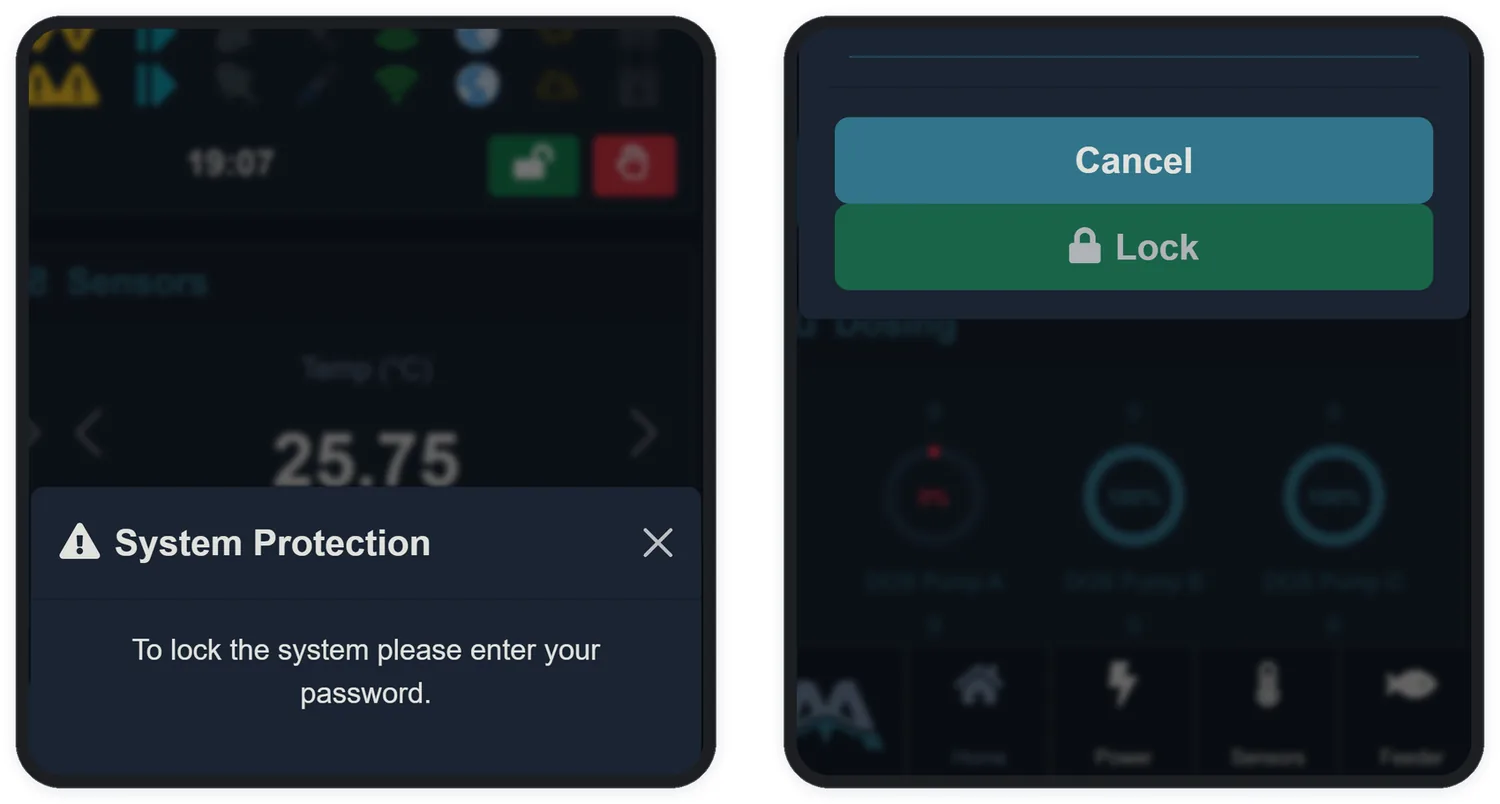
The padlock in the top bar locks the system against accidental — or curious — changes. With the padlock closed, the equipment ignores every command: outlets, dosing pumps, settings. The only action accepted is unlocking, with the password.
- Tap the open padlock (green) in the status bar.
- Enter the device password — from the factory,
aquarino— and tap Lock. - The padlock turns red and closed: the system is protected. To release it, tap it again and enter the password.