Download PDF
Aquarino Controller — User Manual · Printed from manual.aquarino.com.br/en/controller/11-power/
PART IVGetting to know the screens
CHAPTER 11
Power
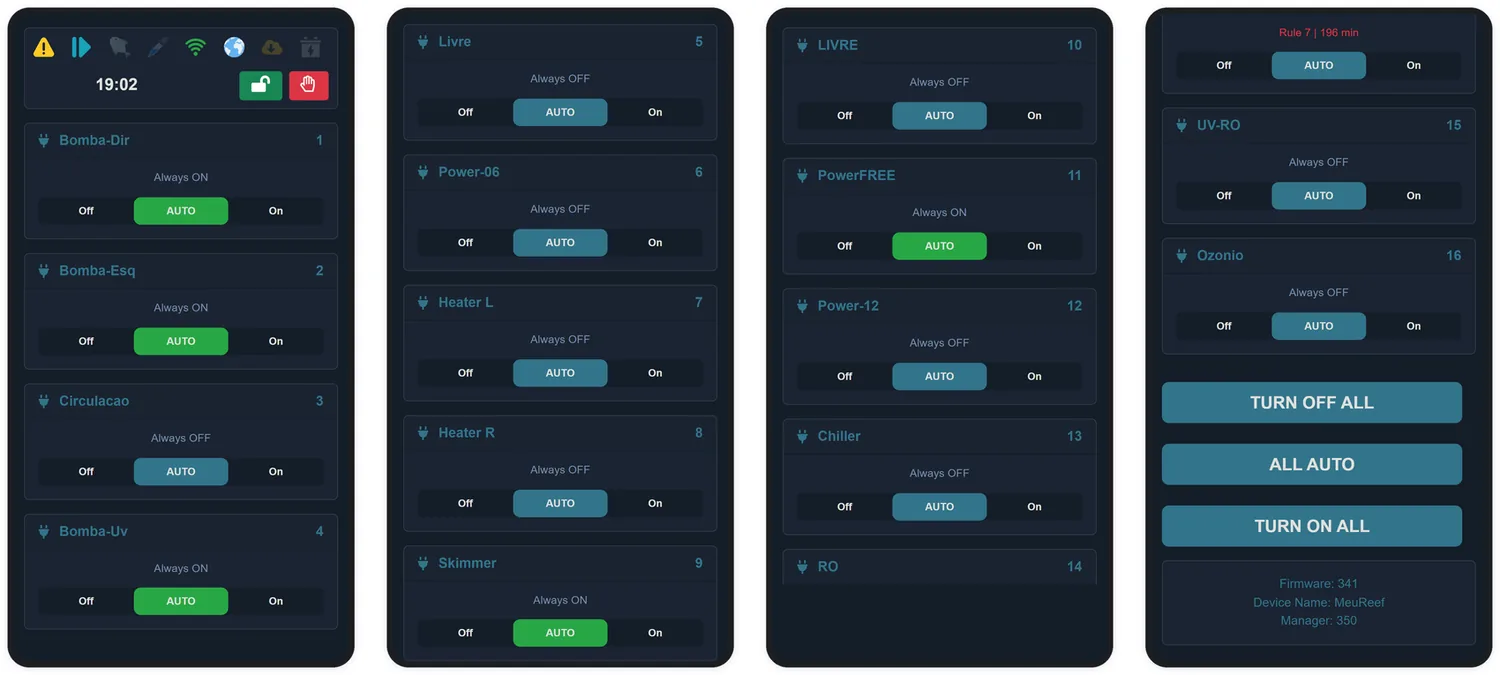
The Power screen is your aquarium's electrical panel: each outlet with a name, an operating mode and a three-position switch.
11.1 The three-position switch
| Position | What it does |
|---|---|
| Off | Turns the outlet off manually — and puts the system into manual mode |
| AUTO | Hands the outlet back to automatic control: schedules, cycles and rules apply again |
| On | Turns the outlet on manually — and puts the system into manual mode |
The switch shows green whenever the outlet is energised — turned on by you or by the automation. Below the name, the state text says who is in charge: the configured mode, Rule N when a rule has taken over, Feeding during a feeding, or the countdown of a delay.
The three large buttons at the bottom of the screen act on all outlets at once: TURN OFF ALL, ALL AUTO and TURN ON ALL.
11.2 Configuring an outlet
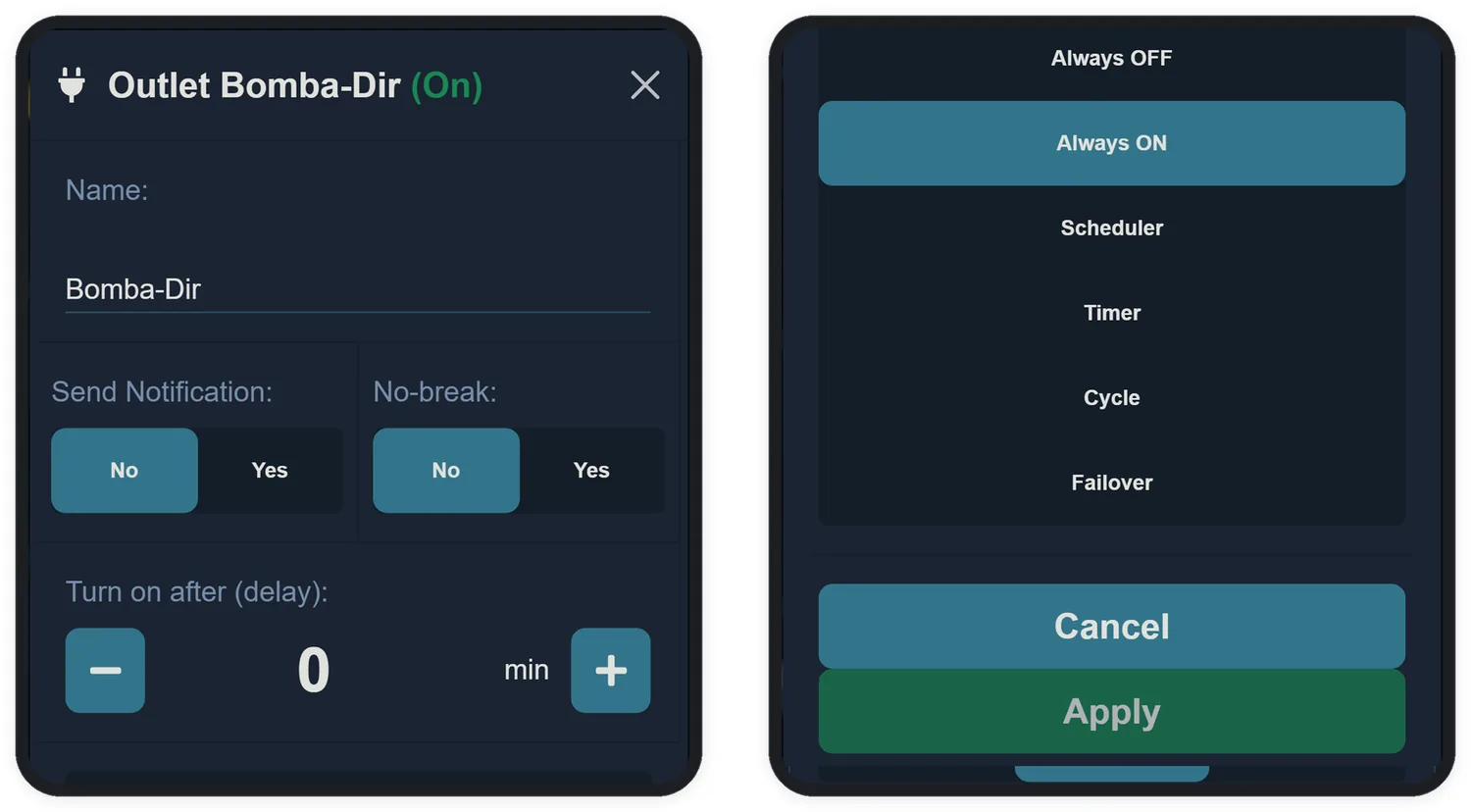
Tap the name of any outlet to open its settings:
| Field | What it does |
|---|---|
| Name | Up to 10 characters, no accents. Use names you recognise in a hurry: Skimmer, Heater-L, Chiller |
| Send Notification | Notifies you on every switching of this outlet. Useful for critical equipment; noisy for the rest |
| No-break | May this outlet stay on during a power outage? Requires the Failover module (Chapter 23) |
| Turn on after (delay) | Delay, in minutes, applied to automatic switch-ons — up to 1440 min. The classic use is keeping the skimmer from overflowing after a power cut |
11.3 The operating modes
| Mode | Behaviour |
|---|---|
| Always OFF | Stays off, unless an automation rule turns it on. The right mode for a chiller or heater driven by a rule |
| Always ON | Stays on continuously. The right mode for the return pump and circulation pumps |
| Scheduler | Turns on at the start time and off at the end time, every day. The lighting mode |
| Timer | A continuous cycle: on for X minutes, off for Y minutes (5 to 1440 each) |
| Cycle | The timer above, but only inside a scheduled window. Example: from 2 pm to 10 pm, 10 min on every hour |
| Failover | Stays off and turns on only during a power outage — for example, an emergency air pump. Requires the Failover module |
11.4 Ready-made recipes
The combinations below cover most of the equipment in an aquarium:
| Equipment | Mode | Off during feeding? | No-break? |
|---|---|---|---|
| Return pump | Always ON | Yes | Yes |
| Skimmer | Always ON | Yes | No |
| Heater / Chiller | Always OFF + temperature rule (Chapter 15) | Yes | No |
| Lighting | Scheduler (e.g. 2 pm to 10 pm) | No | No |
| Wavemaker | Timer or Cycle (e.g. 10 min on, 50 off) | Yes | No |
| Emergency air pump | Failover | No | Yes |
| UV reactor | Scheduler | No | No |