Download PDF
Aquarino Controller — User Manual · Printed from manual.aquarino.com.br/en/controller/21-calibrating-the-dosers/
PART VCalibration
CHAPTER 21
Calibrating the dosers
Calibrating the doser is what guarantees that an order to "dose 2 mL" actually delivers 2 mL to the aquarium. The calibration panel lives inside each doser's configuration — the Calibration button.
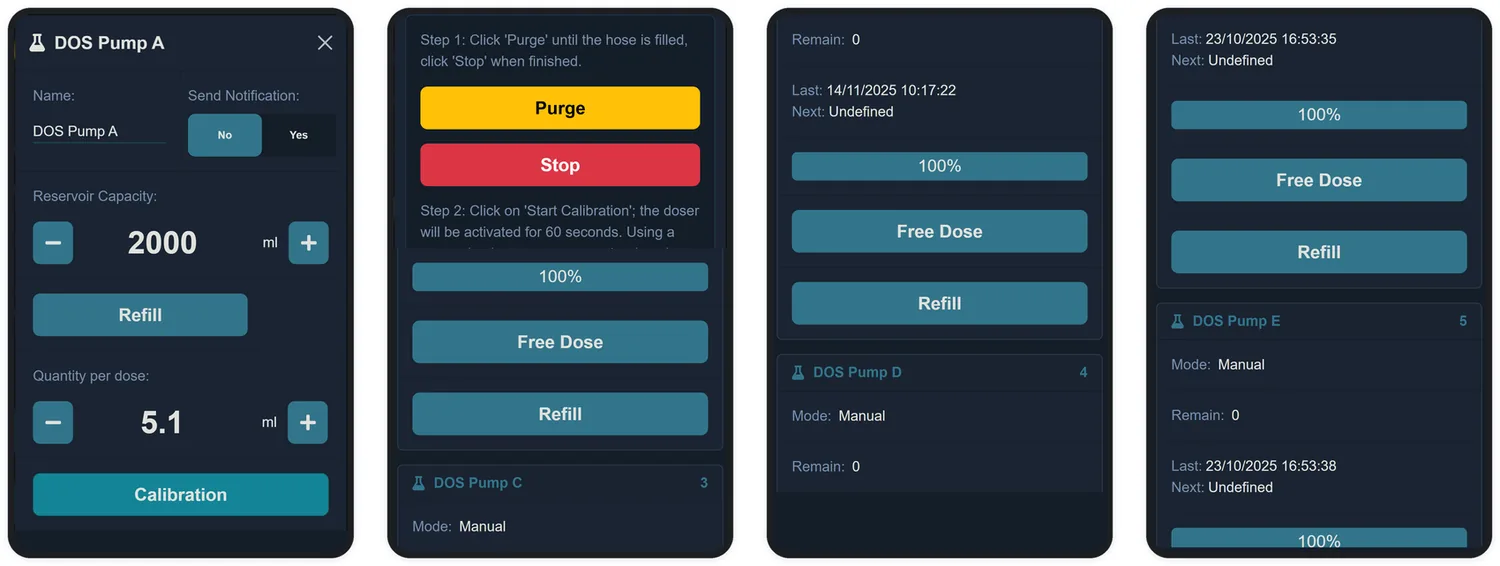
Step 1 · Fill the hose
Tap Purge and let the pump work until the hose is completely full, with no bubbles. Tap Stop.
Step 2 · Measure what the pump delivers
- Put the hose outlet into a graduated container — a measuring cylinder or a syringe.
- Tap Start Calibration: the pump runs for 60 seconds, with a countdown on screen.
- Measure the dosed volume and enter it in the Volume Measured field, in mL. The Dosing Rate is recalculated automatically.
Step 3 · Check
Still with the container at the outlet, tap Test Dosage and check the dose's volume:
| If it delivered | What to do |
|---|---|
| More than configured | Reduce the Dosing Rate (−) and test again |
| Less than configured | Increase the Dosing Rate (+) and test again |
| The right amount | Tap Apply to save. Done |