Download PDF
Aquarino Controller — User Manual · Printed from manual.aquarino.com.br/en/controller/14-dosing/
PART IVGetting to know the screens
CHAPTER 14
Dosing
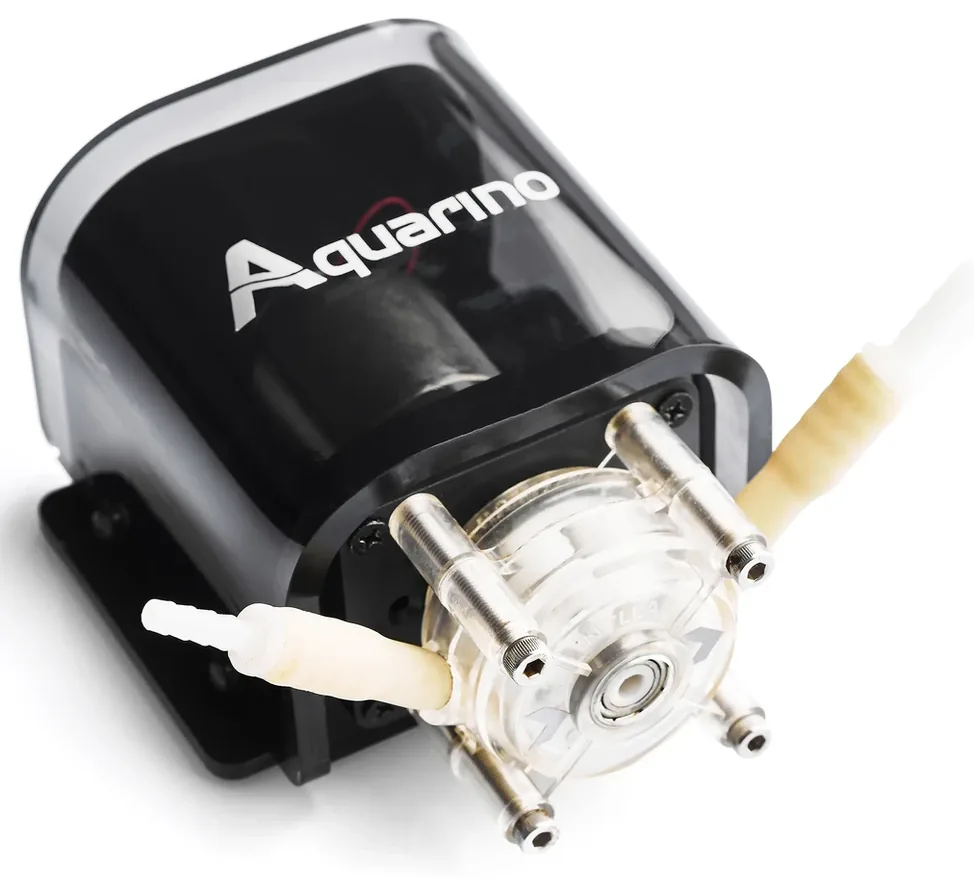
The Aquarino drives up to 6 12 V dosing pumps — any pumps, of any brand, as long as they run on 12 V. Each with its own reservoir, its own schedule and its own calibration.
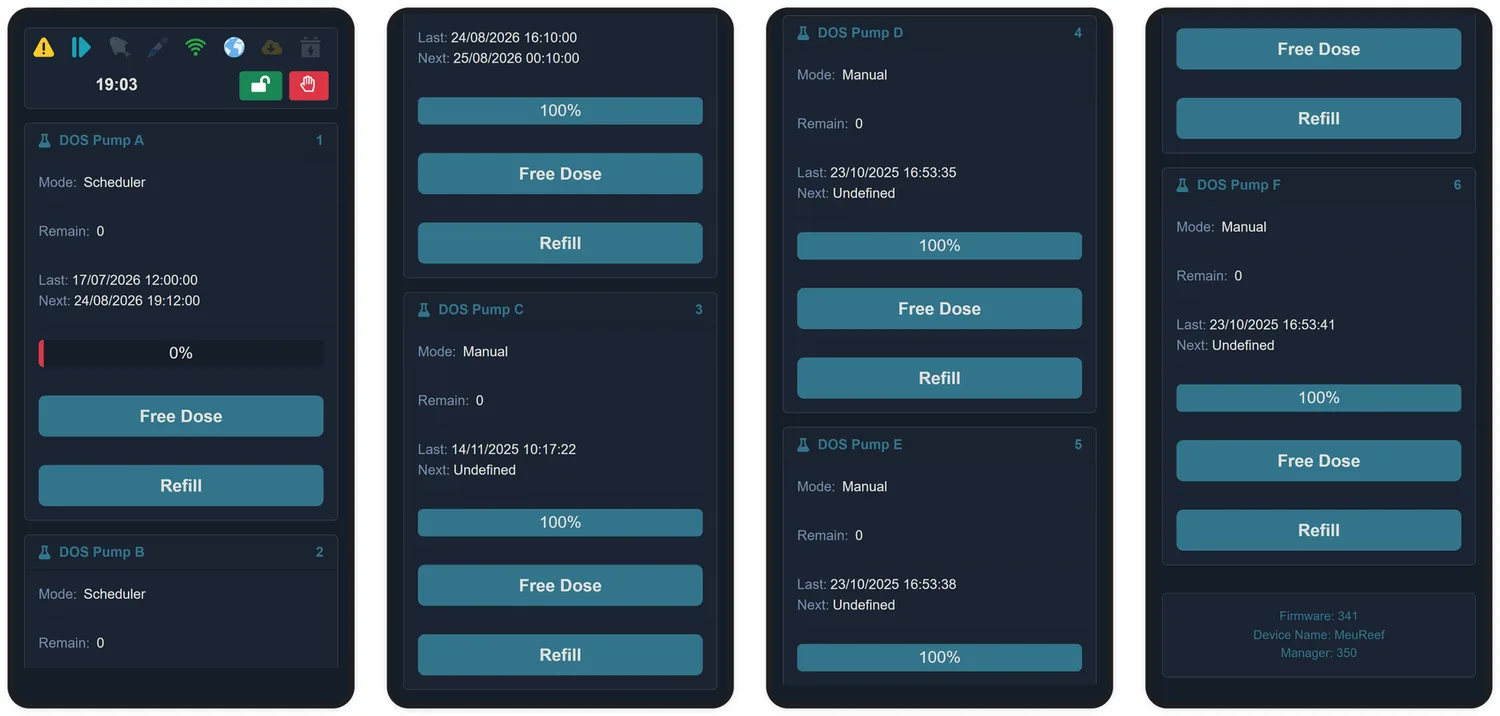
14.1 The doser card
| Item | What it shows |
|---|---|
| Mode | Manual, Scheduler, Timer or Disabled |
| Remain | Doses left in the reservoir — or days, depending on the preference on the Custom. screen. Shows Auto when the reservoir is untracked (capacity 0) |
| Last / Next | The most recent dose and the next scheduled one |
| Reservoir bar | The percentage remaining. It turns red below the limit set on the Custom. screen |
| Free Dose | Fires a one-off dose, outside the schedule |
| Refill | Tell the system you have topped up the reservoir — it goes back to 100% |
14.2 Configuring
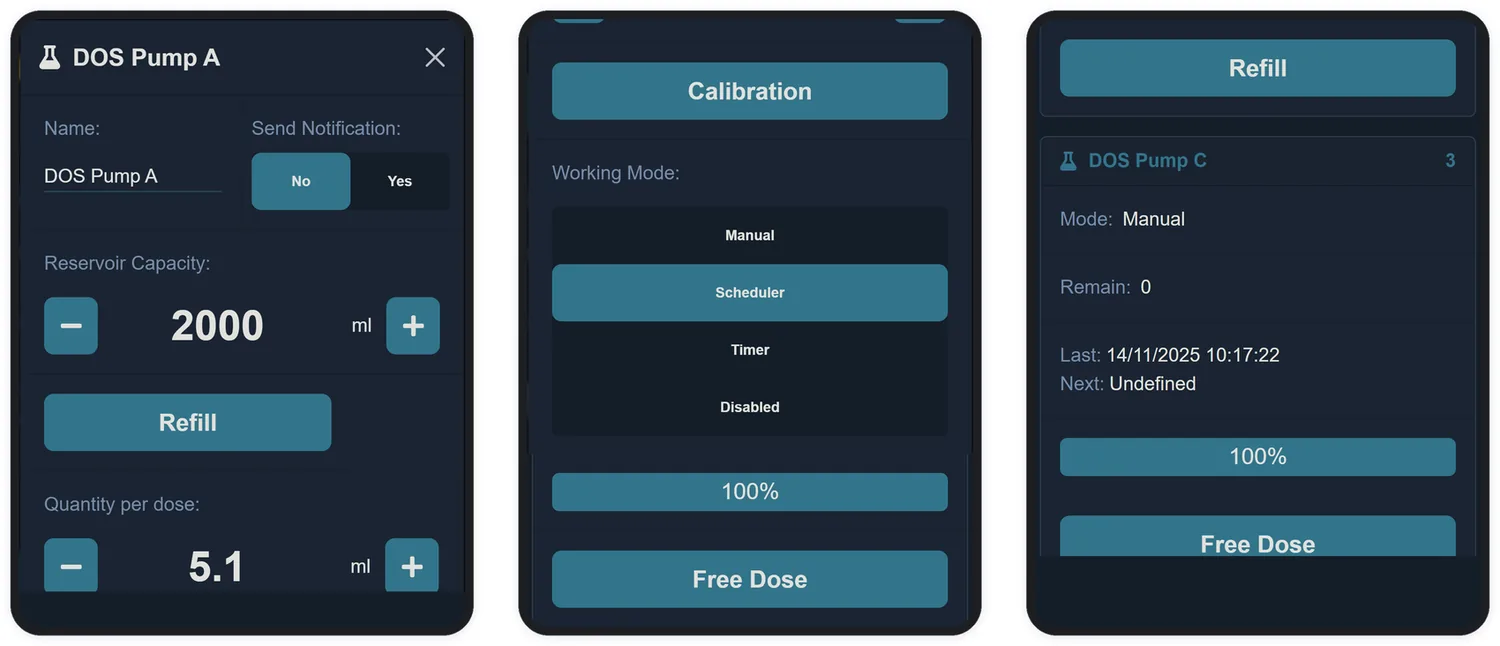
Tap the doser's name (while it is idle) to open its configuration:
| Field | What it does |
|---|---|
| Name | Up to 10 characters — e.g. Calcium, KH, Magnesium |
| Send Notification | An e-mail on every dose from this pump |
| Reservoir Capacity | The volume of your container, in mL. With the capacity filled in, the system deducts each dose and warns you when it is running low. Zero turns tracking off: the pump doses with no bookkeeping |
| Quantity per dose | How many mL come out in each dose — 0.1 to 1000 mL |
| Working Mode | Manual, Scheduler, Timer or Disabled — detailed below |
| Mode | Behaviour |
|---|---|
| Manual | Only doses when you tap Free Dose — or when an automation rule says so (Chapter 15) |
| Scheduler | Spreads N doses (1 to 24) evenly between a start and an end time, on the weekdays you choose |
| Timer | Doses every X minutes (5 to 1440), counted from the last dose |
| Disabled | The doser doses through no path at all. It is the factory default |
14.3 Verify schedule
In Scheduler mode, the Verify schedule button shows the full plan before you apply it: total period, interval between doses, total volume for the period and the exact time of each dose. Make checking it a habit — it is the difference between guessing and knowing.
14.4 The safeguards
- At most 3 dosers run at the same time — the others wait their turn.
- The minimum interval between doses from the same pump is 5 minutes.
- An uncalibrated doser does not dose (Chapter 21).
- If the reservoir does not hold enough for the full dose, the dose does not happen — and you get an e-mail warning.
- When the level crosses the low-reservoir limit, a reminder to refill arrives.