Download PDF
Aquarino Controller — User Manual · Printed from manual.aquarino.com.br/en/controller/12-sensors-and-alerts/
PART IVGetting to know the screens
CHAPTER 12
Sensors and alerts
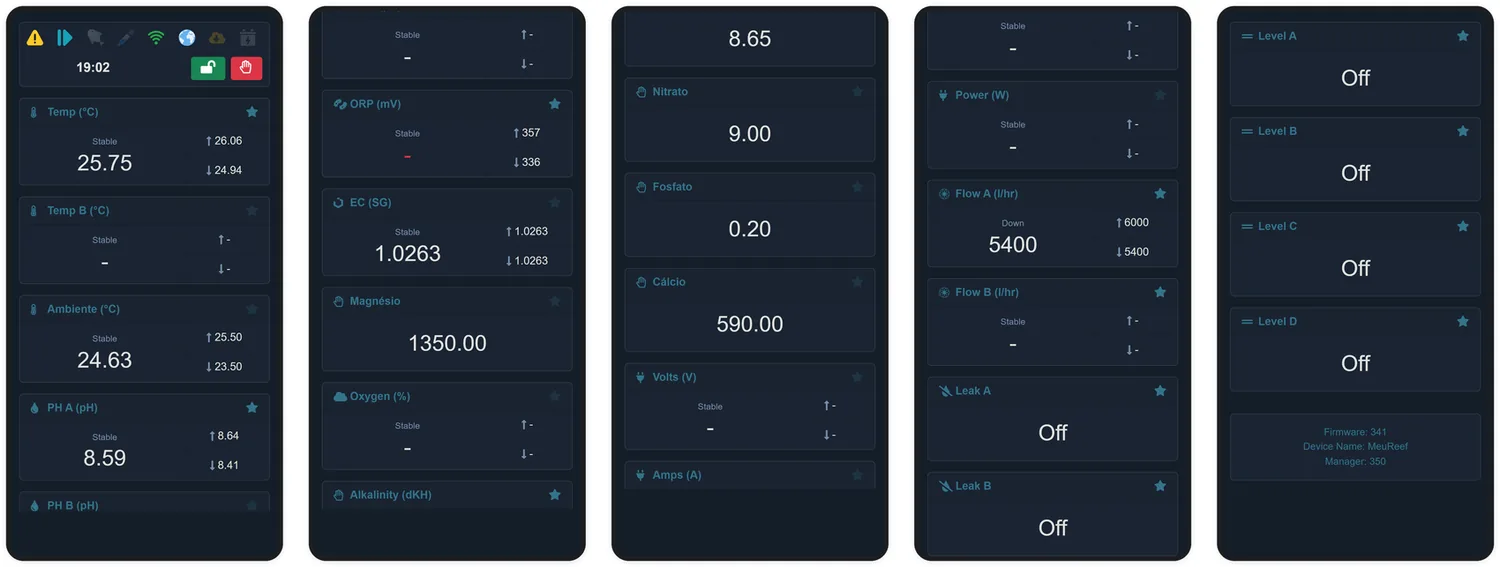
The Sensors screen shows everything the equipment can see: one card per sensor, with the current value, the trend and the recorded extremes.
12.1 The sensor card
- Name and unit — the name can be customised in the sensor's configuration.
- Favourite star — favourites appear in the Home screen carousel and on the Aquarino Display. Tapping the star takes effect immediately.
- Trend — Stable, Up or Down, compared with the reading from a few minutes earlier.
- Current value — in red when outside the alert limits.
- Maximum and minimum — the extremes recorded by the system.
12.2 Configuring alerts
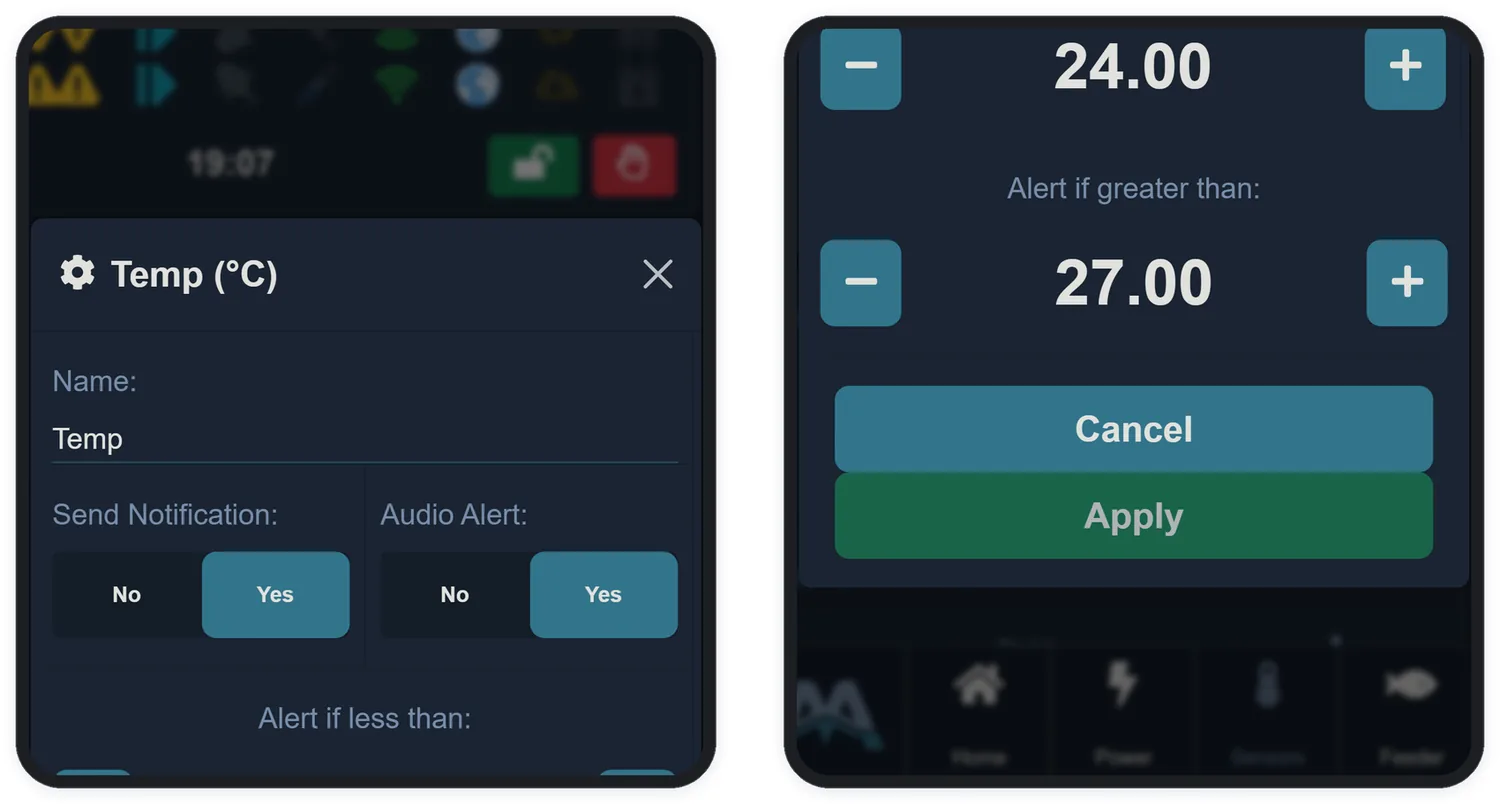
Tap the card of a configurable sensor (the ones showing the gear) to set the name, notification and limits:
| Field | What it does |
|---|---|
| Name | Up to 10 characters |
| Send Notification | An e-mail when the sensor leaves the limits — and when it returns |
| Audio Alert | The equipment's beep while the sensor is out of range |
| Alert if less than | Lower limit. Zero disables this side of the alert |
| Alert if greater than | Upper limit. Zero disables this side of the alert |
12.3 Level sensors
Level sensors have no numeric limits — they have an expected state. In the configuration, choose:
| Option | When to use it |
|---|---|
| Normally Open | The resting state is no water at the sensor's spot — e.g. an overflow sensor. It gets wet, it alerts |
| Normally Closed | The resting state is with water — e.g. the sump's minimum level. It runs dry, it alerts |
| Not Relevant | The sensor should not raise alerts — reading only |
12.4 Manual values
The Custom A and Custom B sensors — and Alkalinity, when there is no integrated Aquarino KH — accept the Manual Value field: you run your chemical test and enter the result. The value goes into the graphs, the carousel and the rules like any other reading.
12.5 Calculated sensors
- CO2 — calculated from alkalinity and pH (requires both).
- Power — consumption in watts, calculated as Volts × Amps from the Failover module; it accumulates consumption in kWh, with a resettable counter.