Download PDF
Aquarino KH — User Manual · Printed from manual.aquarino.com.br/en/kh/24-system-and-status/
PART VIGetting to know the screens
CHAPTER 24
System and Status
24.1 The System screen
It holds the equipment's identification, its network details and the maintenance actions.
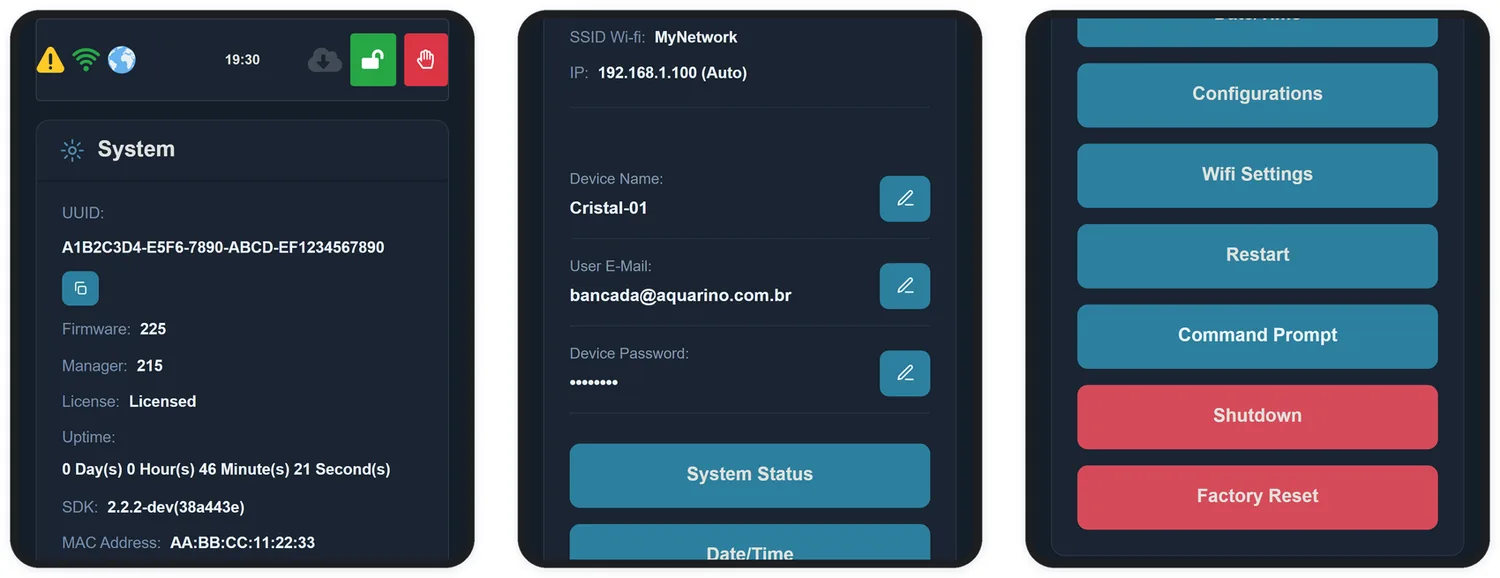
| Information | What it is for |
|---|---|
| UUID | The equipment's unique identifier. It is what you give to support, and what you use for the Aquarino Controller integration |
| Firmware | Version of the equipment's internal system |
| Manager | Version of the interface |
| License | Licensing status. Equipment registered with your e-mail shows as Licensed — if it shows otherwise, check the User E-mail field (Chapter 6) |
| Uptime | How long the equipment has run without restarting |
| MAC address | Network identity. This is what you use to reserve its IP on your router |
| SSID / IP | The network it is connected to and the address to reach it |
Available actions
| Button | What it does |
|---|---|
| System Status | Opens the detailed diagnostics (section 24.2) |
| Date/Time | Sets the internal clock |
| Configuration | Shortcut to the configuration screen |
| Wifi Settings | Changes the Wi-Fi network |
| Restart | Restarts the equipment. No settings are lost |
| Shutdown | Ends operation safely before you unplug it |
| Factory Reset | Erases all settings and returns to the original state |
24.2 System Status
This is the diagnostics screen. You will probably never need it — but when you do, it is the one support will ask you to open.
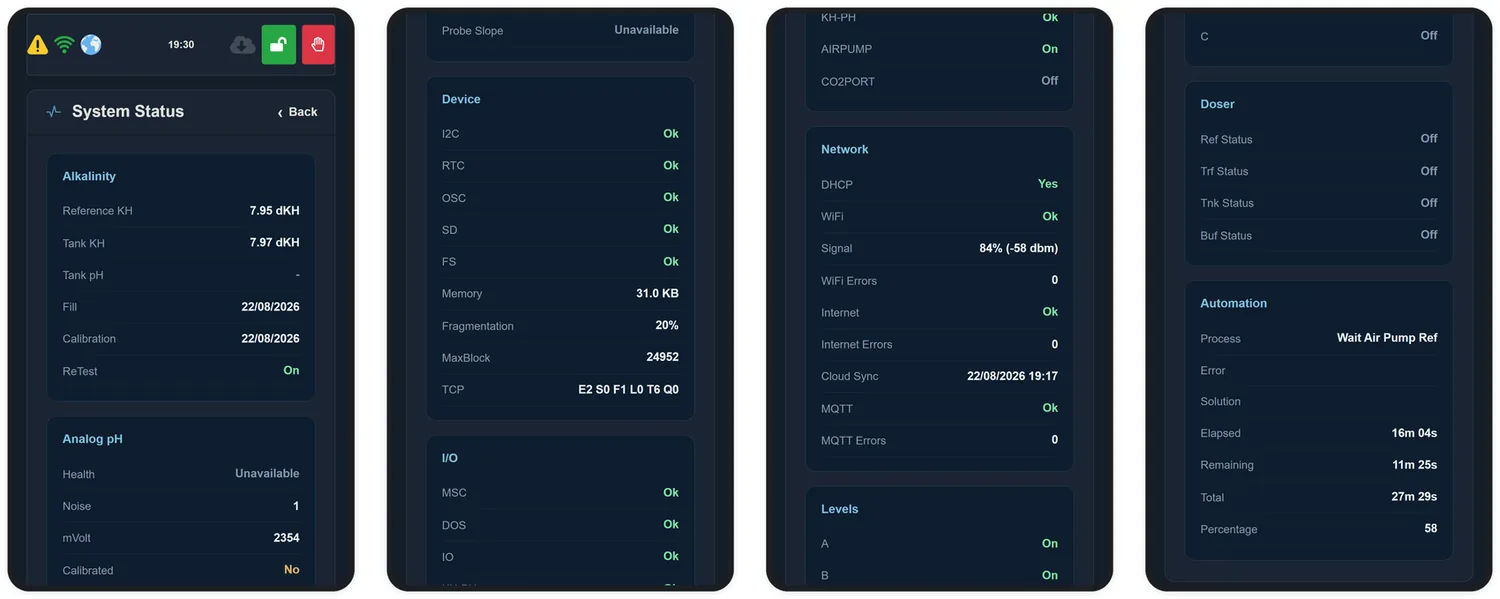
| Block | What it reports |
|---|---|
| Alkalinity | Reference KH, tank KH, pH, fill and calibration dates |
| Analog pH | Health, noise, millivolts, whether it is calibrated, and probe slope |
| Device | Internal health: I2C, clock, memory card, filesystem, free memory and fragmentation |
| I/O | State of inputs and outputs, including the air pump and the CO2 Port |
| Network | DHCP, signal quality, error counters, last cloud sync and MQTT state |
| Levels | Level sensors for chambers A, B and C |
| Doser | State of each dosing pump |
| Automation | Process in progress, error, elapsed and remaining time, and percentage |