Download PDF
Aquarino KH — User Manual · Printed from manual.aquarino.com.br/en/kh/5-full-calibration/
PART IInstall
CHAPTER 5
Full calibration
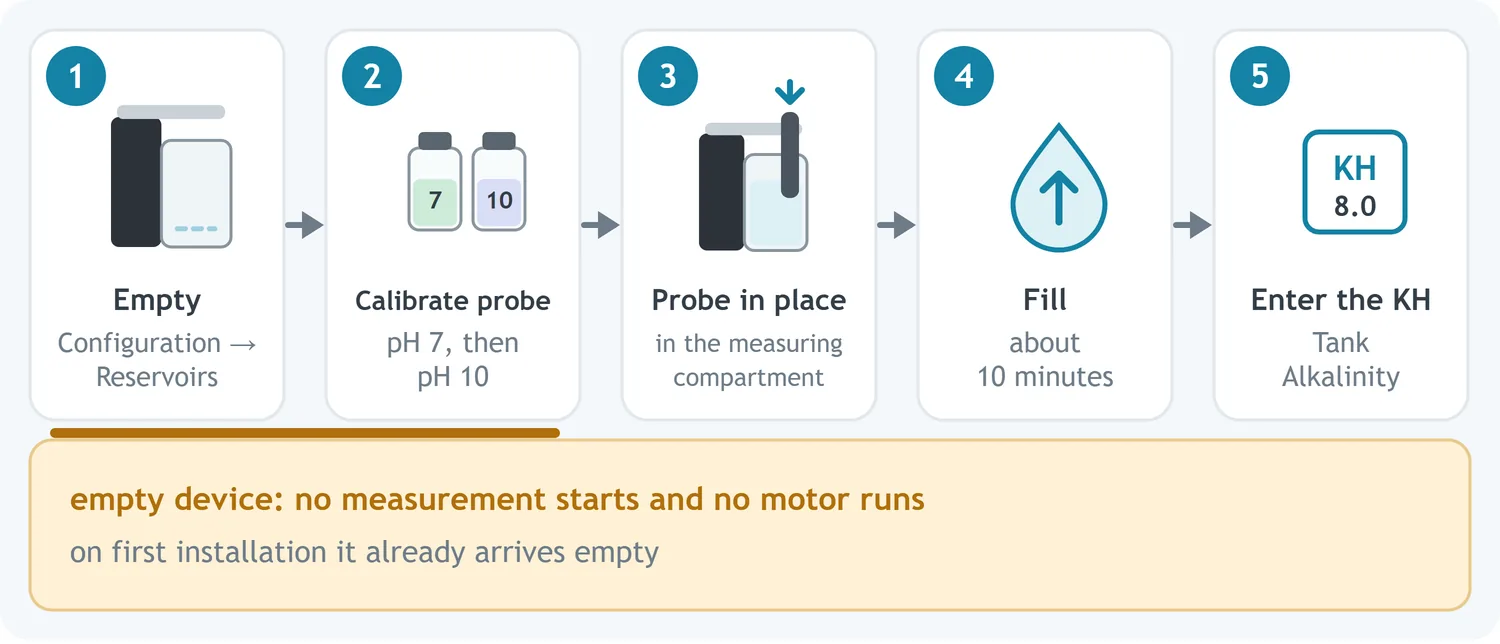
A full calibration empties every chamber of the Aquarino KH, calibrates the pH probe with the equipment empty, draws a fresh sample and anchors the equipment to an alkalinity value that you measure with your chemical test.
Run a full calibration in these situations:
- at the first installation of the equipment — it arrives empty, so you start with the probe calibration (step 4);
- after cleaning the chambers internally;
- if the internal level has dropped because of repeated power cuts;
- if readings are inconsistent and you have already ruled out the causes in Chapter 21.
5.1 Before you start
5.2 Step by step
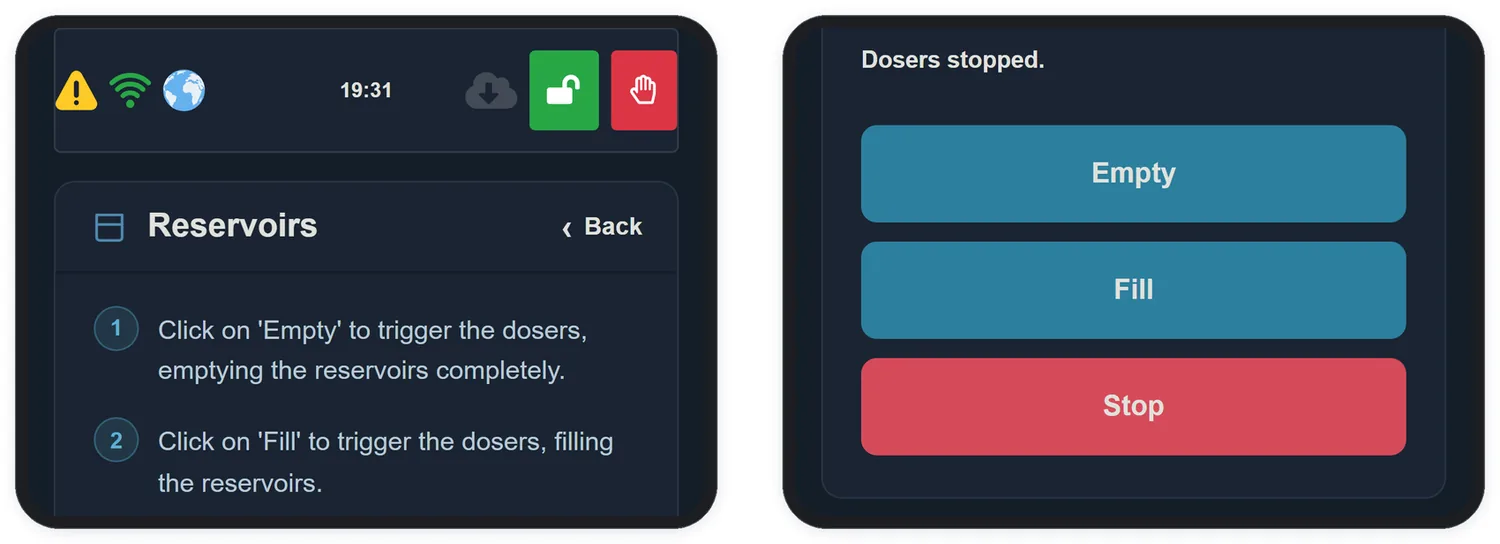
- In the app, open Configuration and tap Reservoirs.
- Tap Empty. Repeat until all internal reservoirs are completely empty and no more water comes out of the hose connected to your tank.
- Check visually that the compartments are empty before going on.
- Take the probe out of the compartment and calibrate it with the wizard in section 4.2. With the equipment empty, no measurement starts and no motor runs, so the calibration comes out free of interference.
- Put the probe back into the measurement compartment.
- Tap Fill. The equipment draws the water through the hose and calibrates the dosing pumps automatically. This takes about 10 minutes.
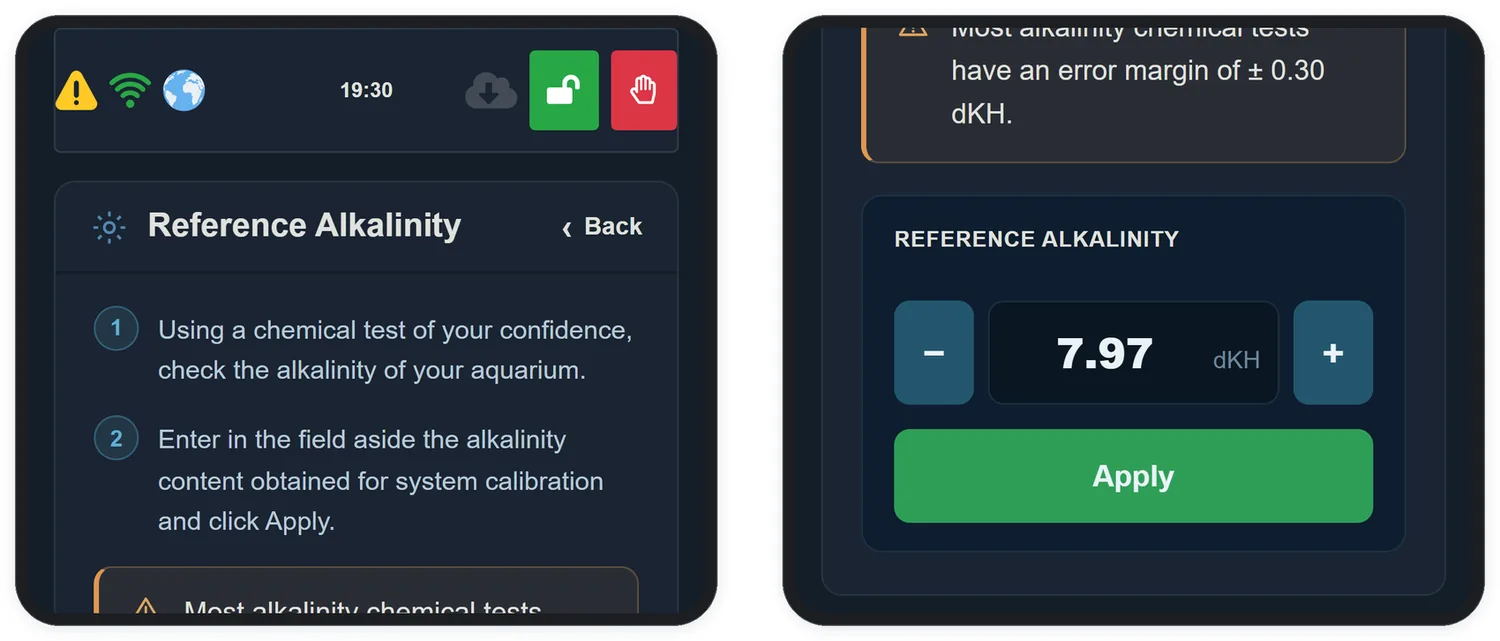
- Using your chemical test, measure the KH of the water that filled the equipment: the aquarium water or, with 3-in-1 balling, the fresh water. Follow the kit manufacturer's instructions to the letter.
- Go back to Configuration and open Tank Alkalinity.
- Enter the measured value and tap Apply. The Aquarino KH starts the calibration automatically.