Download PDF
Aquarino Display — User Manual · Printed from manual.aquarino.com.br/en/display/7-registration-e-mail-and-device-name/
Registration, e-mail and device name
7.1 Registration happens by itself
The first time it finds the internet, the Display registers with the Aquarino servers, without you doing anything. Until that happens, the screen shows "Device not registered", with the instruction "Connect to Wi-Fi so the display can register" and a code.
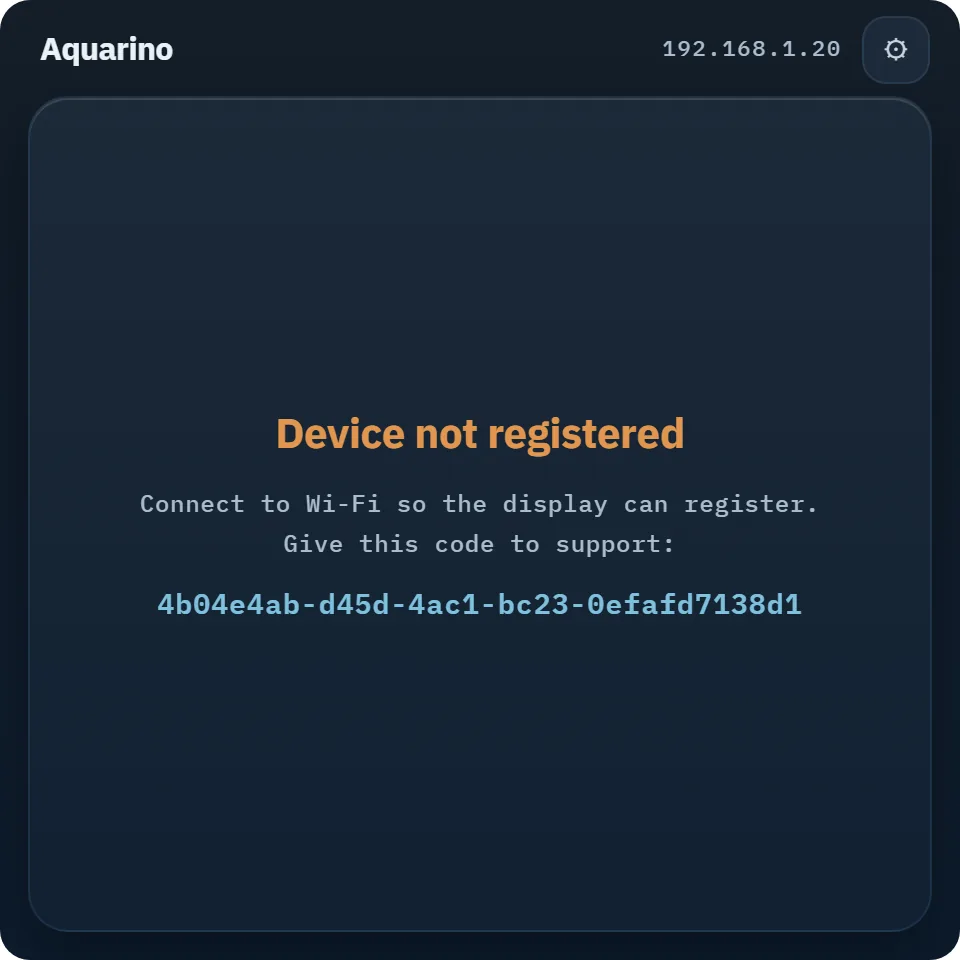
Check that the network has internet access and wait: the screen clears by itself as soon as the registration is accepted. The code shown is the device's unique identifier (36 characters, for example 4b04e4ab-d45d-4ac1-bc23-0efafd7138d1); keep it at hand if you need to contact support.
7.2 Owner e-mail
Enter your e-mail in the portal's Data source tab, or in Settings on the screen of the touch models. It links the Display to your Aquarino account.
7.3 Device name
In the portal's System tab, or in Settings on the screen, give the Display a name. It is the name that appears in the Aquarino app and also the name of the setup network the device creates when it loses Wi-Fi.
- Use up to 20 characters, only letters, numbers and hyphens, with no spaces or accents;
- Examples:
LivingRoomDisplay,Sump-Panel.