Download PDF
Aquarino Display — User Manual · Printed from manual.aquarino.com.br/en/display/1-what-the-aquarino-display-is/
PART IGetting to know your Aquarino Display
CHAPTER 1
What the Aquarino Display is
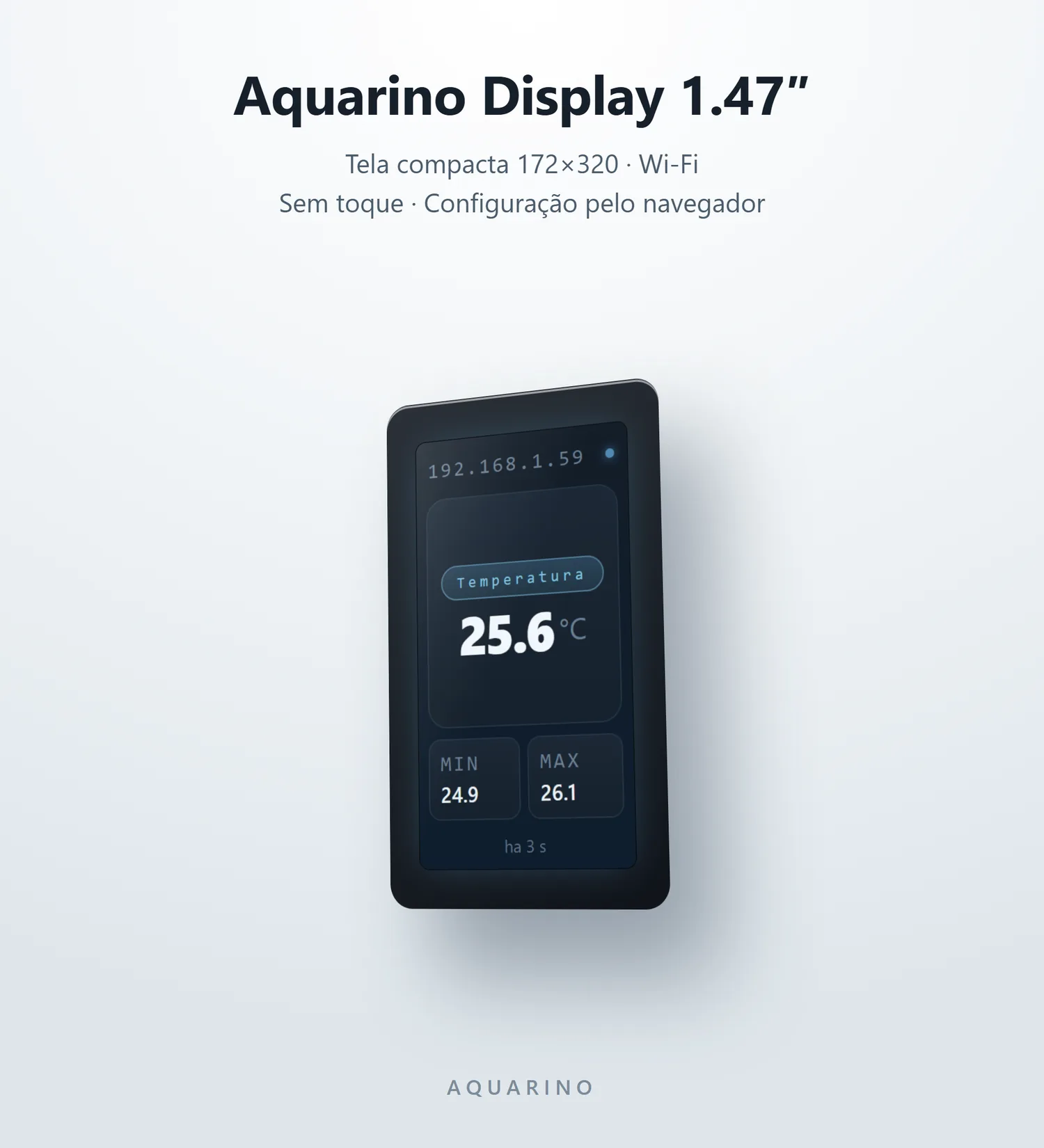
The Aquarino Display is the panel that keeps your aquarium's parameters in plain sight, in real time — no app to open, no phone to pick up. It connects to your Aquarino KH or Aquarino Controller over the network and shows, one by one, the sensors you chose to follow.
1.1 What it does
- Shows the parameters of your Aquarino equipment: current value, unit, minimum and maximum — one sensor at a time, in automatic rotation.
- Signals when a value is out of range: the colour changes and the panel tells you what is going on.
- Shows the health of the data: a stamp in the footer says how long ago the reading arrived — you know whether you are looking at the present or the past.
- Works over the local network or the cloud: at home, it reads the equipment directly; pairing by UUID works from any network.
- On the touch models, it sends commands: up to 4 configurable shortcut buttons — feed, dose, whatever you define.
1.2 What it does not do
- It does not measure anything. The Display is a mirror: the Aquarino KH or the Controller does the measuring. Without a source device, there is nothing to show.
- It does not control outlets or dosing pumps on its own — the shortcuts merely send commands to the source device, which decides what to do.
- It does not sound alerts. The warning is visual; it is the source device that beeps and sends e-mail.