Download PDF
Aquarino Display — User Manual · Printed from manual.aquarino.com.br/en/display/11-the-screen-your-way/
The screen your way
A panel that is on 24 hours a day needs to know when to shine and when to fade away. The settings are on the gear (Settings > Display, on the touch models) and in the portal's Display tab.
| Setting | Options | Where |
|---|---|---|
| Brightness | From 0 to 100%. Even at 0 the screen stays on, only dimmer | Screen and portal |
| Theme | Dark (default), light or neon. The names appear as Dark, White and Neon on the screen; Dark, Light and Neon in the portal | Screen and portal |
| Language | English, Portuguese or Spanish. Takes effect immediately | Screen (Settings > Language) and portal |
| Rotation | Four positions, so the Display can stand upright, lie sideways or sit upside down. Takes effect immediately | Screen and portal |
| Night mode | Dims or turns off the screen at night (11.1) | Turned on and off on the screen; times and brightness in the portal only |
| Rest mode | Turns into a clock when nobody is looking (11.2) | Screen and portal (touch models) |
| Date and time | Set by hand, for use without internet (11.3) | Screen (touch models) |
11.1 Night mode
A window of visual quiet: from 10 pm to 7 am (adjustable in the portal), the brightness drops to the night level, 50% from the factory, or the screen turns off completely, if you tick that option in the portal. At 7 am it comes back by itself. The data keeps being read normally during the night.
- It comes off from the factory: turn it on in Settings > Display > Night mode or in the portal's Display tab.
- It depends on the correct clock: with internet it sets itself; without internet, set it in Settings > Date and time.
11.2 Rest mode (touch models)
After 5 minutes without a touch on the home screen, the Display turns into a desk clock: large time, date and all the sensors in the rotation in small size, with reduced brightness. A tap anywhere ("TAP TO RETURN") brings the normal screen back.
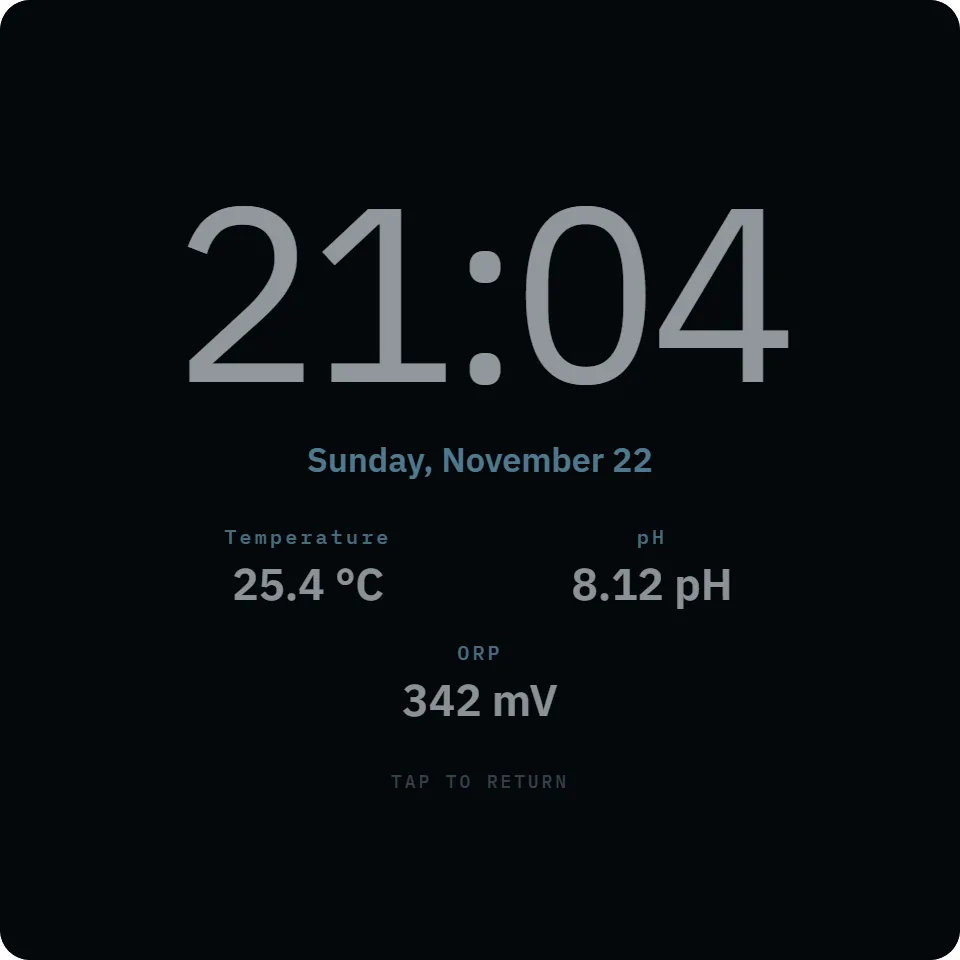
- It comes off from the factory: turn it on in Settings > Display > Rest mode or in the portal's Display tab.
- Good for living rooms and offices: less brightness all day long and, even so, every parameter in sight.
- A sensor that leaves the range still raises the full-screen alert (Chapter 10).
11.3 Date and time (touch models)
With internet, the clock sets itself, including the time zone. Without internet, open Settings > Date and time, adjust DAY, MONTH, YEAR, HOUR and MIN with the arrows and save. As the screen itself reminds you: "Only needed without internet".